FACILITY PLANNING
Commercial Cleaning Scope Change Request
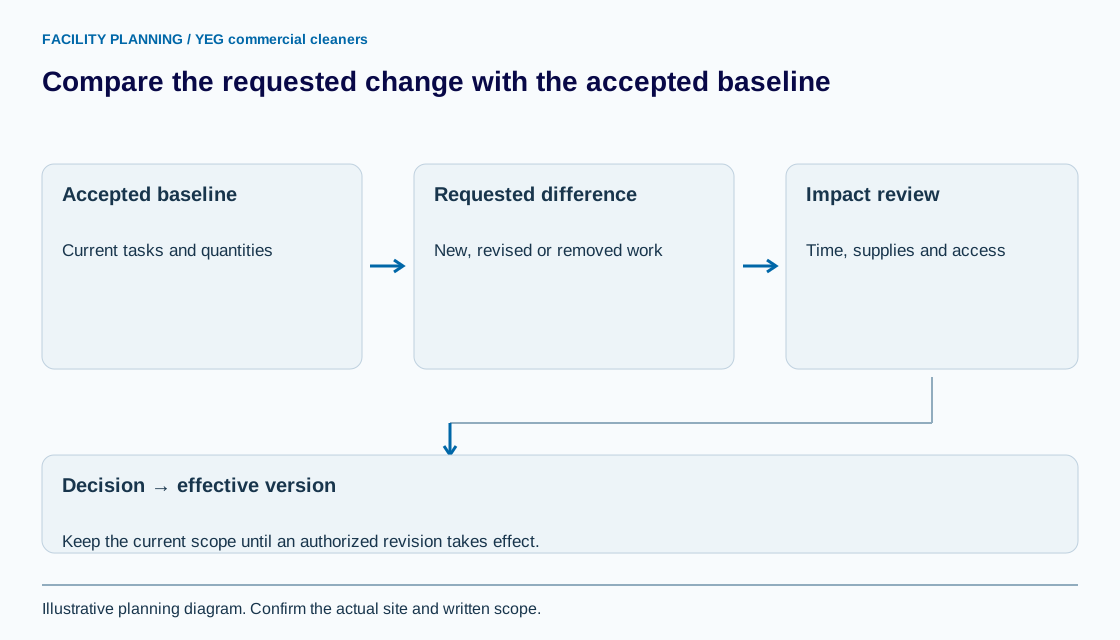
A cleaning scope change request records the difference between the accepted work and a proposed revision. Compare the old and new requirements, assess the effect and record a decision before updating the live scope.
Open the working recordWhat should a cleaning scope change request identify?
Identify the current scope version, affected room or task, requested change and reason. State whether the request adds work, removes work, changes frequency or resolves an ambiguity. These categories lead to different pricing and scheduling questions.
Link the request to the accepted scope document. A message asking for extra work is evidence of a request; it is not automatically evidence that the authorized parties accepted the cost or effective date.
How do you assess the effect of a scope change?
Compare quantities, task boundaries, visit frequency, supplies and access before estimating the change. Check whether the affected work already belongs to a bundle; adding a washroom bin separately can duplicate work inside a whole-room scope.
Record labour and budget effects as confirmed or still to review. The labour-hours worksheet supports that discussion, while the recurring quote visualizer uses its selected basket and common weekly frequency. A request form does not establish a new task tariff.
How should an added-room request be described?
Describe the room addition using measured tasks rather than a vague instruction to include the new space. Include any unavailable measurements as open questions, not zero values.
Synthetic example: request CR-04 adds meeting room M2 with 300 sq ft of carpet and one ordinary waste bin to three weekly visits. Table-surface work is pending because the expected clearance is unknown. The request records the proposed effective date and asks for a revised price; neither the quantity nor the example implies an agreed production rate.
What separates a proposed change from an accepted change?
An accepted change has a recorded decision by the authorized parties, its effective date and the resulting scope or price reference. Retain rejected and deferred requests as separate states rather than deleting their history.
CIMS 2023 section 1.1.2 calls for documented service changes. The proposed worksheet adds before-and-after fields and approval tracking; it is not a legal change-order form. If the authority or contract effect is unclear, resolve it with the responsible contract reviewer.
Which records should be updated after approval?
Update the scope, task calendar, room register and applicable billing reference after the decision takes effect. Keep the previous version and notify the people who need the revised instructions through the agreed process.
Use the facility register to track changed quantities and the invoice worksheet to check the first affected bill. Bring the request to YEG commercial cleaners when reviewing the recurring program; the written response should resolve the change before it becomes assumed work.
YOUR WORKING DOCUMENT
Scope change decision record
Adapt the fields to your facility. These planning entries are editable in this tab. Download your work before leaving; it is not sent to YEG commercial cleaners or saved automatically.
Swipe or scroll across the table to reach every field.
| Field | Accepted baseline | Requested revision | Effect / unresolved question | Decision / authority |
|---|---|---|---|---|
A template supports the discussion; the accepted written scope determines the work.
Sources and review
Reviewed September 8, 2026. Source links support the statements beside them. The worksheet is an original planning aid; confirm site requirements and current product instructions before use.
Use this information in your cleaning scope
Use the commercial cleaning scope of work template to take the next planning step. Identify the quantities, access conditions and exclusions that apply before requesting a price.