FACILITY PLANNING
Cleaning Missed-Access Incident Log
A missed-access log records a specific visit that could not start or reach an agreed area. Preserve the facts, contact attempts and authorized next step so attendance, completion and billing do not become the same assumption.
Open the working recordWhat should be recorded when cleaning access fails?
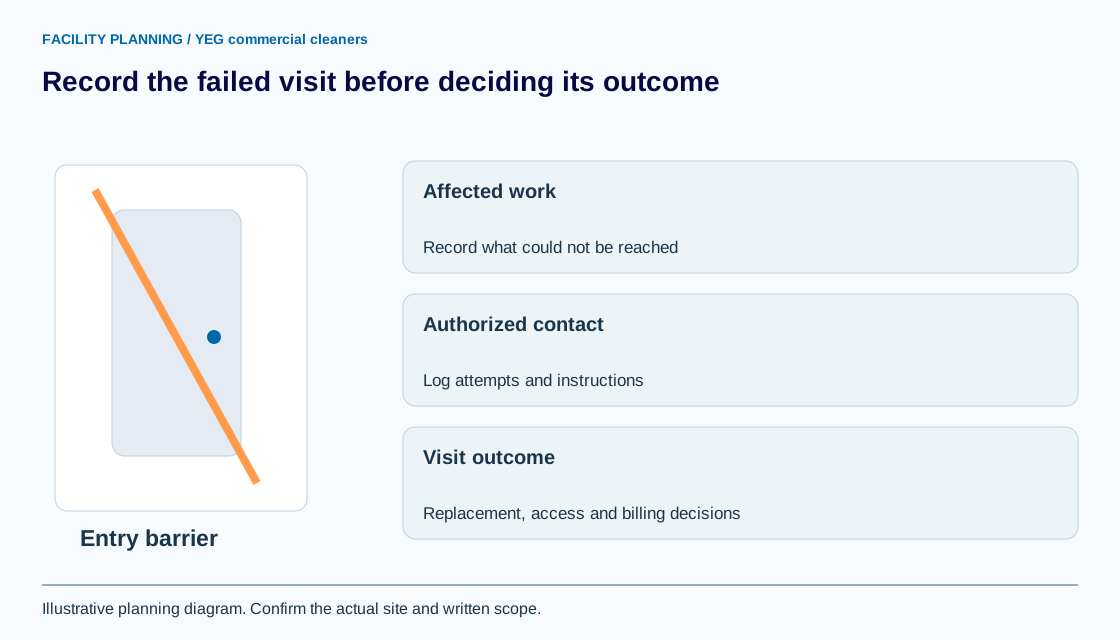
Record the site reference, scheduled visit window, affected area, observed barrier and time of the attempted entry. Describe what happened without publishing alarm codes, access tokens, detailed security arrangements or a theory about fault.
The access handover checklist establishes the plan before service. This log records an exception after that plan did not work. A cleaner arriving at a locked door is an attendance event, not proof that the cleaning task was completed.
Who decides the next step after a failed entry?
The designated authorized contact decides the next step using the site’s agreed escalation route. Record contact attempts and instructions; an unanswered message does not create permission to enter another way.
CCOHS working-alone guidance emphasizes appropriate contact arrangements. A failed-entry log does not replace the employer’s site-specific worker safety plan. Do not wait for a routine administrative reply where the applicable emergency process is required. Keep the private contact-directory reference in the record rather than personal security details.
How should partial access affect the completion record?
Record completed, inaccessible and unattempted areas separately when part of the site remains available. Do not convert a partial visit into an entire-site pass or assume that the unavailable work can be completed later within the same window.
Synthetic example: reception and office floors are accessible but a meeting suite is locked. The visit record lists the accessible tasks actually completed and keeps the meeting-suite tasks pending. It does not state that the whole site was serviced or infer which party caused the lockout.
How do you record a rescheduled or cancelled visit?
Record the proposed replacement window, access confirmation and approval of the affected task set. Keep the original incident linked to the new visit so the replacement is not mistaken for unrelated extra work.
Use the dated-exception worksheet when a closure caused the change. Record the billing question separately; this log does not grant a free visit, impose a missed-access fee or authorize a credit. Those decisions follow the actual agreement and authorized response.
What should be reviewed before the next booked visit?
Confirm whether the access plan needs an update, who has made the change and how readiness will be checked. Close the incident only after its operational and administrative outcomes are recorded, even if no replacement visit is agreed.
Use the issue log for recurring access failures and the invoice worksheet for agreed adjustments. Share the non-sensitive incident reference with YEG commercial cleaners when reviewing the after-hours service scope.
YOUR WORKING DOCUMENT
Missed-access visit and outcome record
Adapt the fields to your facility. These planning entries are editable in this tab. Download your work before leaving; it is not sent to YEG commercial cleaners or saved automatically.
Swipe or scroll across the table to reach every field.
| Visit / window | Observed barrier / affected tasks | Contact attempts / instruction reference | Replacement / access confirmation | Billing decision / closure |
|---|---|---|---|---|
A template supports the discussion; the accepted written scope determines the work.
Sources and review
Reviewed September 8, 2026. Source links support the statements beside them. The worksheet is an original planning aid; confirm site requirements and current product instructions before use.
Use this information in your cleaning scope
Use the after hours cleaning access handover to take the next planning step. Identify the quantities, access conditions and exclusions that apply before requesting a price.