FACILITY PLANNING
Cleaning Product and SDS Approval Register
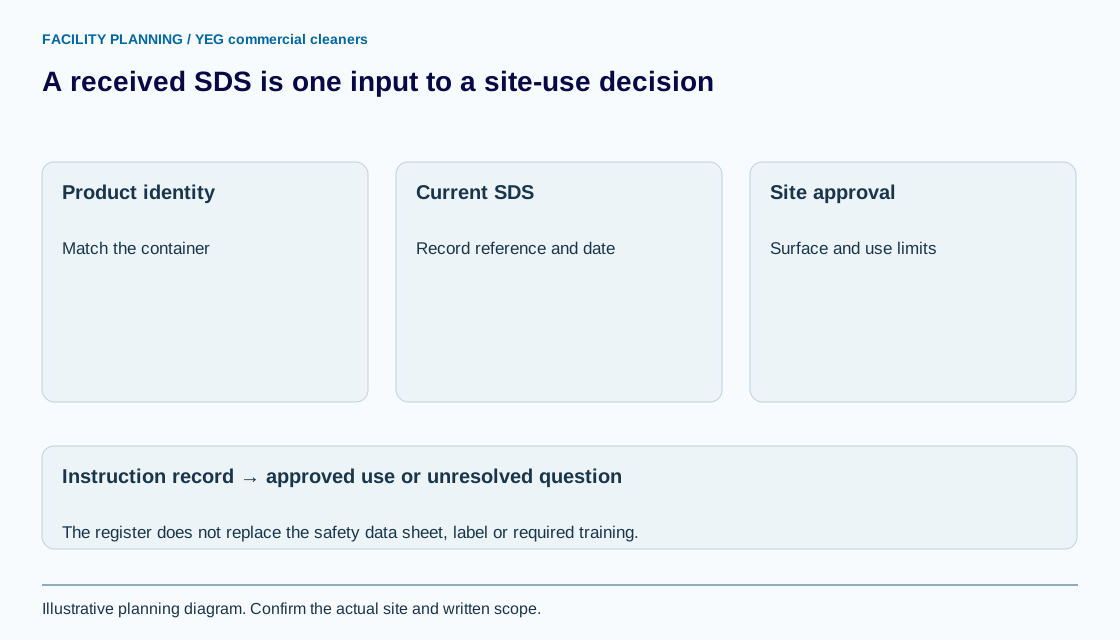
A cleaning product register links the actual product to its safety data sheet, label instructions and permitted site uses. Keep receipt of a document separate from approval of a task, worker training and confirmation that the product suits the surface.
Open the working recordWhich product details should the register contain?
Record the product name, supplier, product identifier, intended task and site location, with a reference to the current container label and applicable safety data sheet. A similar product name or bottle colour is not a reliable match.
Use the cleaning supplies guide to identify who purchases and brings products. This register tracks review and restrictions; it does not recommend a shopping list or approve a substitute merely because the preferred product is unavailable.
What can a safety data sheet establish?
An SDS supplies hazard and handling information for the identified product, but it does not by itself establish a complete site procedure. CCOHS explains SDS identity, hazards, handling and response information and notes that workplace-specific procedures may still be needed.
Have the responsible safety reviewer assess the actual use, worker access to information and applicable workplace requirements. A checked register cell is not a WHMIS training record, a declaration that a substance is harmless or proof that a cleaning service is legally compliant.
How should SDS revisions and missing documents be tracked?
Record the document revision date, the date it was obtained and the source, then compare versions when an update arrives. Keep a missing or uncertain document as pending until the responsible reviewer resolves it.
CCOHS identifies section 16 as the SDS revision-date field and distinguishes supplier updates from employer responsibilities. Do not apply a blanket three-year expiry rule to every record. Confirm the current requirements relevant to the workplace with the responsible safety professional or supplier.
How are product approval and surface approval different?
A site may accept a product for one task while restricting it on another material or location. Record the permitted use, surface instructions, dilution or contact reference where relevant, and any location exclusions without copying a generic chemical recipe into the register.
Synthetic example: product P-01 has a received SDS but the proposed use on an unidentified floor finish remains pending. The document exists; the method is not approved. Link the decision to the floor product record and keep the task unresolved until its method is confirmed.
What should happen when the product or task changes?
Review the replacement product and affected method before substituting it into the accepted procedure. Record who authorized the change, what instructions need updating and which personnel need the revised information through the employer’s process.
Bring site restrictions to YEG commercial cleaners during the walkthrough, then link confirmed references to the scope and after-hours program. The register makes approval questions visible; it does not certify a product, task or workforce.
YOUR WORKING DOCUMENT
Product identity, document and use-approval record
Adapt the fields to your facility. These planning entries are editable in this tab. Download your work before leaving; it is not sent to YEG commercial cleaners or saved automatically.
Swipe or scroll across the table to reach every field.
| Product / supplier / identifier | SDS revision / source / obtained date | Proposed task / surface | Label / method / restrictions | Reviewer / approval state |
|---|---|---|---|---|
A template supports the discussion; the accepted written scope determines the work.
Sources and review
Reviewed September 8, 2026. Source links support the statements beside them. The worksheet is an original planning aid; confirm site requirements and current product instructions before use.
Use this information in your cleaning scope
Use the cleaning supplies and responsibilities guide to take the next planning step. Identify the quantities, access conditions and exclusions that apply before requesting a price.