FACILITY PLANNING
Cleaning IT and Confidential Workstations
A workstation cleaning plan separates accessible furniture surfaces from devices, cabling and confidential materials. Define what may be touched, what needs device-specific approval and what remains with the site’s staff or IT team.
Open the working recordWhat should a workstation cleaning scope include or exclude?
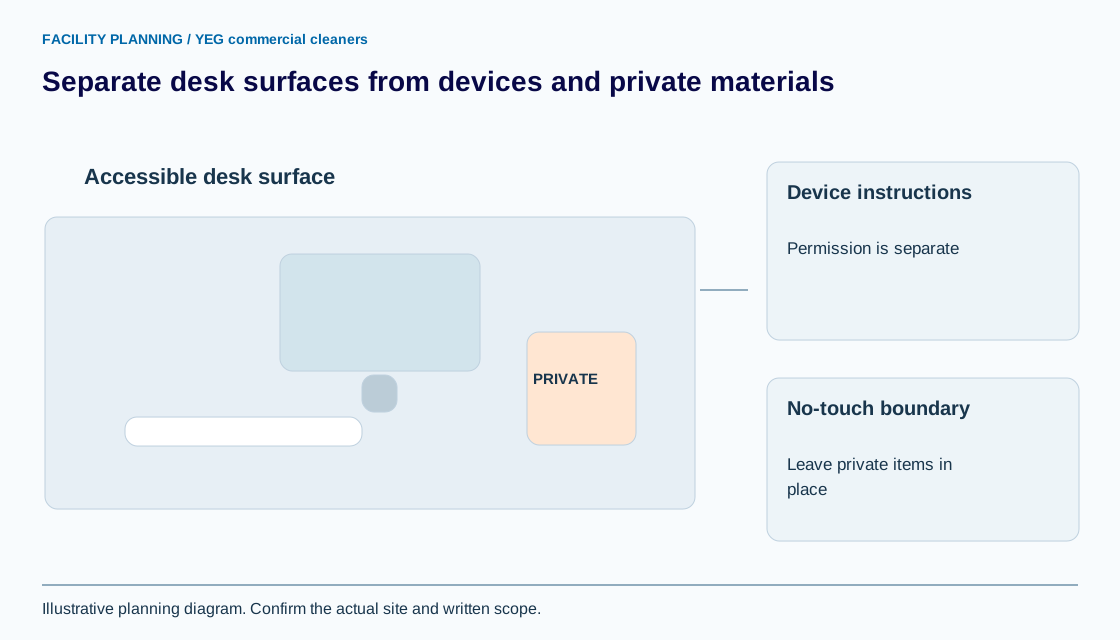
Name the accessible furniture surfaces separately from screens, keyboards, docking stations, cables and documents. A desk-surface task does not automatically authorize device cleaning, moving personal belongings or disconnecting equipment.
For an office cleaning scope, record no-touch areas and the expected desk-clearance arrangement. Use a room or workstation ID instead of employee names where that is sufficient. The aim is a clear operational boundary, not an inventory of confidential work or a claim of IT support.
Why does device cleaning require the exact manufacturer guidance?
Device materials and finishes can have different cleaning restrictions, so permission to clean one model should not be extended to another. Apple’s product-care guidance, for example, prohibits spraying cleaners directly onto devices and distinguishes instructions for particular products and displays.
Record the model and applicable instructions, then have the site confirm who is authorized to perform that work. Manufacturer directions that involve shutdown or disconnection are not authority for a cleaner to interrupt business equipment. This page does not supply a universal screen-cleaning recipe.
What should happen when papers or an unlocked screen block the task?
Follow the agreed no-touch rule and record the task as restricted or incomplete where the required surface cannot be reached. Do not move private documents, operate the computer or photograph its contents to prove that access was blocked.
Ask the site contact for an approved way to complete or verify the task. The photo evidence guide explains why a broad image can disclose more than a cleaning condition. A written note identifying the workstation and restriction can be sufficient without reproducing the private content.
How can a desk row separate permitted and restricted work?
A desk row can make permission specific enough to follow. Synthetic example: workstation W-18 permits the cleared laminate surface and chair base; monitor, dock, cables and documents are excluded. The site contact owns desk clearance and any authorized device maintenance.
If papers remain, the cleaner records that the listed surface was unavailable instead of declaring it complete. This fictional example does not establish a universal clearance policy or authorize moving furniture. The actual scope must identify its own surfaces and acceptance condition.
What should be confirmed before workstation cleaning starts?
Confirm the permitted task, material reference, clearance owner and exception contact before work begins. Review the record when a device, surface or room use changes, and retain the effective version.
Share non-sensitive restrictions with YEG commercial cleaners through a walkthrough request. The after-hours program can then be scoped around actual accessible surfaces. Restricted IT rooms, device servicing and access to business information are not inferred from an ordinary office-cleaning estimate.
YOUR WORKING DOCUMENT
Workstation touch-permission record
Adapt the fields to your facility. These planning entries are editable in this tab. Download your work before leaving; it is not sent to YEG commercial cleaners or saved automatically.
Swipe or scroll across the table to reach every field.
| Room / workstation ID | Permitted surface / material | Device or no-touch exclusions | Method / manufacturer reference | Site approval / exception owner |
|---|---|---|---|---|
A template supports the discussion; the accepted written scope determines the work.
Sources and review
Reviewed September 8, 2026. Source links support the statements beside them. The worksheet is an original planning aid; confirm site requirements and current product instructions before use.
Use this information in your cleaning scope
Use the office cleaning to take the next planning step. Identify the quantities, access conditions and exclusions that apply before requesting a price.